
-90%
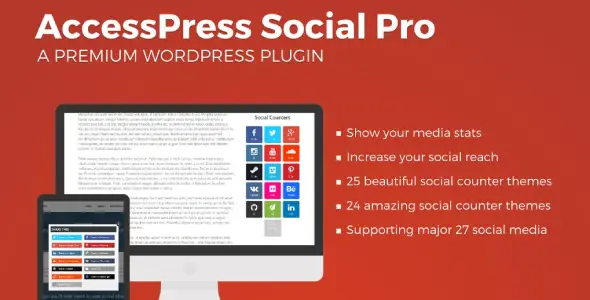
License: GPL | Developer: Codecanyon
This is The Exact Same File as Distributed by The Developer (Click Here)
AccessPress Social PRO v2.1.6
Original price was: $29.00.$2.99Current price is: $2.99.
459
Items sold in last 4 weeks
15
People watching this product now!
Description
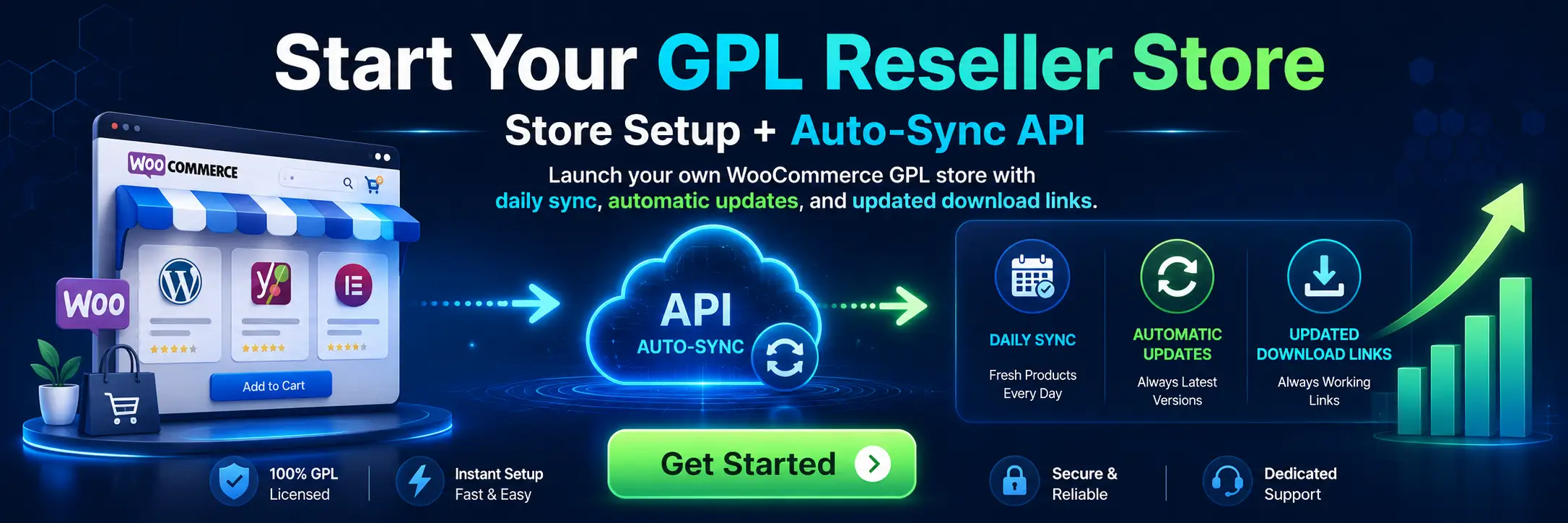
AccessPress Social PRO v2.1.6
AccessPress Social PRO v2.1.6 combines two closely related social media tools in one WordPress plugin: social sharing controls for website content and social counter displays for profile audiences. The sharing section helps visitors distribute posts, pages, media, and supported custom content to their preferred networks. The counter section can present follower, fan, or subscriber figures from configured social profiles, giving readers a visible reason to connect with the brand beyond the website.
This two-part approach is useful because sharing and following serve different stages of audience growth. Share buttons encourage a visitor to recommend a specific article or product, while social counters direct attention to the organisation’s ongoing presence on external platforms. Site owners can use either function where it is appropriate instead of filling the layout with several unrelated social plugins.
Encourage Visitors To Share WordPress Content
The social sharing module adds recognisable sharing controls to eligible WordPress content. A reader who finds a tutorial, news story, portfolio item, or product useful can open the relevant network’s sharing flow without manually copying the page URL. Reducing that friction can make sharing more convenient, although the final result still depends on the quality of the content, the audience, and the rules of each network.
AccessPress Social PRO includes multiple predesigned themes for share buttons, allowing the presentation to fit a minimal blog, a colourful magazine, a corporate website, or an online shop. The design can be chosen from the plugin settings rather than recreated for every post. A consistent visual style also helps visitors recognise the controls as they move between different sections of the site.
Display Social Fans, Followers, And Subscribers
The social counter module is intended to display audience statistics associated with configured social accounts. Depending on the network and the access permitted by its current API, the plugin can retrieve a fan, follower, or subscriber count and show it with a link to the relevant profile. This can add social proof to a sidebar, footer, landing page, or another area where visitors are deciding whether to follow the brand.
Profile counters are most effective when they support a genuine, active community. Choose only the networks that matter to the website and arrange them in a logical order. A small group of current profiles is usually clearer than a long panel containing inactive accounts. If a platform requires an API key, token, page identifier, or other credential, follow that platform’s current setup requirements and keep private values protected.
Choose From Share And Counter Themes
AccessPress Social PRO provides separate design choices for its sharing and counter features. The original premium feature set includes ten share themes and twenty social counter themes, giving site owners a broad selection without requiring custom graphic work. These themes can help match social elements to different layouts, backgrounds, and content types.
When selecting a theme, prioritise clarity over decoration. Buttons need sufficient contrast, comfortable spacing, and a size that works for both pointer and touch input. Counter text should remain readable on smaller screens, and icon meaning should not depend only on colour. Preview the chosen design with the live theme because global CSS, page-builder styles, or caching optimisations can alter spacing and alignment.
Flexible Placement Across The Website
Social controls are more useful when they appear at the right moment. AccessPress Social PRO offers several placement approaches, including positions around post or page content, floating displays, widget areas, shortcodes, and popup-style sharing. This gives you the freedom to create a site-wide pattern or place a specific block only where it supports the page.
- Before Or After Content: Add sharing options near the beginning or end of eligible posts and pages.
- Floating Sidebar: Keep a compact group of sharing controls visible while the reader moves through longer content.
- Widget Areas: Add counters or sharing elements to theme-supported sidebars, footers, and other widget locations.
- Shortcodes: Insert configured social elements into selected content areas without enabling them everywhere.
- Popup Sharing: Present sharing choices in a focused overlay when that behaviour suits the visitor journey.
Avoid placing the same controls in too many positions on one page. Repetition can distract from the article or buying process, especially on mobile. Start with one primary location, measure how it performs, and add another only when it improves discoverability without creating clutter.
Support For Major Social Networks
The plugin was created to work with a broad collection of popular social services for sharing and audience counts. The premium sharing feature set originally covered fourteen networks, while the counter section included support for eighteen social sources. Network availability is not permanent, however. Social platforms regularly rename services, retire endpoints, change authentication rules, limit public counters, or remove sharing capabilities.
Version 2.1.6 should therefore be evaluated against the networks you currently need. A share link may continue to work even when a follower-count API changes, because those functions use different mechanisms. Configure and test each selected platform individually. Remove obsolete services from the public interface so visitors see only working, relevant choices.
Pinterest Image Sharing And Visual Content
For image-led websites, the Pinterest image sharing option can make it easier for visitors to choose visual material from a page. This is particularly relevant to recipe blogs, fashion sites, craft tutorials, travel publications, interior design portfolios, and product catalogues. The source image, title, and destination page should be prepared carefully so a shared pin remains useful when viewed away from the original website.
Use descriptive image alternative text, appropriate dimensions, and compressed files. The plugin can provide a sharing route, but it cannot repair an unclear image or weak page description. Good media preparation improves both user experience and the quality of the information transferred into a social sharing interface.
Share Counts And Caching
Where supported data is available, visible share counts can indicate that an article or resource has already attracted attention. AccessPress Social PRO includes caching options intended to store count information and refresh it at an interval instead of requesting fresh network data on every page view. This can reduce unnecessary external requests and help the site avoid depending on an API response for each visitor.
Choose a refresh interval that balances current figures with performance and API restrictions. A busy news website may want more frequent updates than a small brochure site, but requesting data too often can create delays or reach platform limits. After changing a token, page identifier, or cache setting, clear the relevant WordPress and server caches before deciding that the displayed value is incorrect.
Use With Posts, Pages, And Supported Custom Content
The plugin can be applied beyond standard blog posts. Its controls can be configured for supported post types and taxonomies, which is helpful on websites that publish portfolios, resources, events, reviews, or other structured content. Instead of showing share buttons on every archive and utility screen, select the locations where visitors are likely to share a meaningful public URL.
Compatibility features were also designed for common WordPress environments such as WooCommerce and BuddyPress. On a WooCommerce store, sharing may help visitors recommend a product page, while counters can direct shoppers to the brand’s active social profiles. On a community site, careful placement can make public content easier to distribute without interrupting member actions. Test templates individually because themes and extensions can use different content hooks.
Shortcodes And Widgets For Controlled Placement
Shortcodes are helpful when social elements need to appear inside a particular page, landing section, or classic editor layout. Widgets provide an alternative for theme areas such as a sidebar or footer. Together, they offer controlled placement without requiring every instance to be inserted into a template file.
Record where each shortcode or widget has been used before making a major design change. If a theme is replaced or a widget area disappears, those instances may need to be moved. Likewise, check that a shortcode is not displayed as plain text after disabling the plugin. A simple content audit prevents broken or confusing elements from remaining on the public site.
Responsive Design And Mobile Usability
Social sharing often happens on phones, so responsive behaviour is essential. The plugin’s layouts are designed to adapt to different screen sizes, but each selected theme and placement should still be tested with the active WordPress theme. A floating bar that feels unobtrusive on desktop can cover content on a narrow screen, while a large counter panel may wrap differently in a compact footer.
Check button size, spacing, close controls, popup behaviour, and horizontal overflow. Test both portrait and landscape orientations. If a display is not essential on small screens, consider a more compact position instead of forcing the desktop arrangement into limited space.
Practical Setup Workflow
- Create a current backup and test the plugin on a staging copy when possible.
- Install and activate the AccessPress Social PRO package from the WordPress plugin area.
- Choose the social networks that are relevant to the website and remove unnecessary options.
- Configure sharing locations, themes, labels, and any supported count display.
- Add required profile identifiers or API credentials only through the appropriate settings.
- Set a sensible cache duration for external count data.
- Place optional widgets or shortcodes in the intended content and theme areas.
- Check posts, pages, custom content, WooCommerce templates, and BuddyPress views that you plan to support.
- Test every active network while logged out and on both desktop and mobile devices.
- Review the browser console and page speed if an external network request causes an error or delay.
After publishing, revisit the settings periodically. A platform that worked during installation can later change its URL, API, or authentication process. Regular checks keep the public social controls useful and prevent outdated services from occupying valuable page space.
Compatibility And Version 2.1.6 Considerations
The version number in this product title is important. AccessPress Social PRO v2.1.6 is a specific release, not a promise that every historical network integration will work with every modern API. WordPress, PHP, browsers, themes, and social platforms evolve independently. Test this release with the exact environment where it will be used, especially before installing it on a business-critical or high-traffic website.
If the plugin is replacing another social tool, do not run overlapping floating bars, counters, or automatic placement rules without testing. Duplicate controls can appear when two plugins use the same content hooks. Deactivate the old presentation only after confirming that the new configuration covers the required pages and that no shortcodes will be left behind.
Privacy And External Platform Requests
Social buttons and counters can involve requests to external services. Review what loads on the front end, which cookies or tracking technologies may be introduced by a platform, and whether your privacy notice or consent configuration needs an update. Requirements vary by country, audience, and implementation, so the website owner remains responsible for an appropriate privacy setup.
Do not expose secret API credentials in page content, screenshots, or public documentation. Give administrative access only to trusted users, and revoke tokens that are no longer needed. If a network supports limited permissions, request only the access required for the selected counter or profile feature.
GPL Download And Support Notes
This product page provides a downloadable GPL package according to the licensing information shown by GPL Care. GPL access covers the distributed WordPress plugin files. It does not automatically provide an original marketplace purchase code, a developer account, direct author support, or access to an external premium service. Automatic updates tied to an original licence may also be separate from the downloadable package.
For other tools designed around social sharing and community visibility, visit the WordPress Social Networking Plugins Collection. You can also browse the broader WordPress Plugins Collection to compare downloadable solutions for content, marketing, forms, media, and site management.
Frequently Asked Questions
What Are The Two Main Parts Of AccessPress Social PRO?
The plugin combines social sharing controls with social profile counters. Sharing helps visitors distribute individual website URLs, while counters can show supported fan, follower, or subscriber figures.
Can I Add The Social Tools With A Shortcode Or Widget?
Yes. Shortcodes and widgets provide flexible placement in addition to automatic content positions and floating display options supported by the plugin.
Does It Support WooCommerce And BuddyPress?
The premium feature set includes compatibility intended for WooCommerce and BuddyPress environments. Always test the exact product, community, and account templates used by your current site.
Why Is A Social Follower Count Not Updating?
The platform may require new credentials, may have changed its API, or may be serving a cached value. Check the account settings, token permissions, cache interval, plugin version, and current platform documentation.
Will Social Buttons Automatically Increase Traffic?
They make sharing more convenient but cannot guarantee clicks, followers, or rankings. Useful content, clear positioning, fast pages, and an active audience remain the important factors.
Should I Enable Every Available Network?
No. Choose the platforms that match the audience and test them. A focused group of working buttons is usually more useful than a large collection of inactive or obsolete services.
Does The GPL Package Include Direct Developer Support?
Direct author support, original purchase codes, and account-based services are normally separate from redistributed GPL files. Review the GPL Care product terms before installation.
Build A Clearer Social Sharing And Following Path
AccessPress Social PRO v2.1.6 gives WordPress administrators a unified way to add share buttons and display supported social audience counts. Its selection of themes, content positions, floating layouts, popup option, Pinterest image sharing, widgets, shortcodes, caching, and compatibility features can support blogs, magazines, business sites, communities, and online stores. The strongest setup is a focused one: enable only useful networks, choose a readable design, control placement carefully, and test each external integration against current platform requirements.
GPLCARE Updater Plugin
GPLCARE Updater Plugin Tutorial
New to GPLCARE? Watch this step-by-step tutorial to learn how to install, activate, and use the GPLCARE Updater Plugin directly from your WordPress dashboard.

Easy Installation Guide
Install the GPLCARE Updater Plugin in a few steps.

Update Management
Update themes and plugins directly from WordPress.

Tips & Best Practices
Keep your website updated and secure.
Support and updates
What is included?
Documentation You will find the item’s documentation within the .zip file you download.
Updates Available
You'll always have access to the latest features, fixes, and security updates. Simply re-download the item to get the most up-to-date files. You can find the updates change-log on the item’s description.
What is not included?
Author Support
Author support is not available for items downloaded on GPLCare. If you need support from this item’s author, we recommend you take a look at this item on Original Author. If support is offered, you will receive 6 months of support when you purchase the item there.
Technical support from GPLCare
GPLCare doesn’t offer technical support for individual items. If you need further assistance, please visit our Help center and create Support Tickets here.
Automatic updates All updates require manual installation.
Only logged in customers who have purchased this product may leave a review.
Related products
-96%
Original price was: $79.00.$2.99Current price is: $2.99.
-90%
Original price was: $29.00.$2.99Current price is: $2.99.
-90%
Original price was: $29.00.$2.99Current price is: $2.99.
-90%
Original price was: $29.00.$2.99Current price is: $2.99.
Reviews
Clear filtersThere are no reviews yet.