
-92%
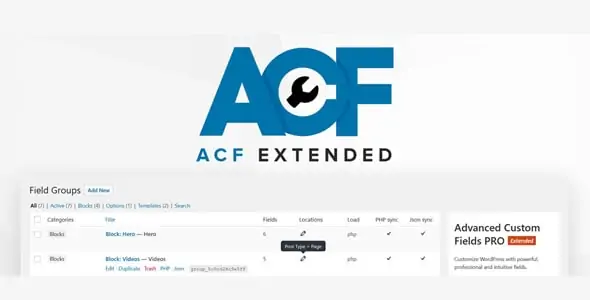
License: GPL | Version: v0.9.2.3 | Developer: ACF
This is The Exact Same File as Distributed by The Developer (Click Here)
Advanced Custom Fields Extended PRO v0.9.2.3
Original price was: $49.00.$3.99Current price is: $3.99.
25
Items sold in last 4 weeks
26
People watching this product now!
Description

Extend Advanced Custom Fields With More Developer Tools
Advanced Custom Fields Extended PRO, also known as ACF Extended Pro or ACFE Pro, is an enhancement suite created for developers who already use Advanced Custom Fields Pro to build structured WordPress websites. It adds a broad collection of fields, modules, locations, interface improvements, developer utilities, and performance-focused options that can reduce the amount of repetitive custom code required in complex projects.
Advanced Custom Fields is widely used for adding custom data to posts, pages, users, taxonomies, options pages, and other WordPress objects. ACF Extended PRO builds on that workflow. It keeps the familiar ACF approach while introducing extra controls for Flexible Content, front-end forms, dynamic post types, block types, taxonomies, options pages, templates, settings, scripts, and advanced metadata management.
Built For Advanced ACF Pro Projects
ACF Extended PRO is designed for sites where standard custom fields are only the starting point. Agencies and developers may need conditional layouts, reusable field structures, richer editing interfaces, dynamic registration tools, custom administration screens, or front-end data submission. Building each feature from scratch can take considerable development and testing time. ACFE Pro groups many of these capabilities into one integrated toolkit.
The plugin can be useful for directory websites, membership platforms, editorial systems, property portals, business applications, WooCommerce customisations, client dashboards, intranets, learning platforms, and other data-heavy WordPress projects. It is not a replacement for ACF Pro; it extends ACF Pro and depends on a compatible ACF Pro installation.
Advanced Fields And Flexible Content Improvements
ACF Extended PRO introduces additional field types and expands the behaviour of existing ACF fields. Depending on the installed release, available tools may include date ranges, countries, languages, currencies, phone numbers, image selectors, multiple file uploads, advanced color controls, developer selectors, payment-related fields, and other specialised inputs.
Flexible Content receives particularly useful enhancements for modular website development. Developers can create more structured layout experiences, organise components in columns or grids, apply layout rules, improve previews, and offer clients a cleaner page-building interface. These controls help teams create reusable content sections without exposing editors to unnecessary technical details.
Create And Manage Front-End Forms
The Forms module provides a more advanced workflow around native ACF form functionality. You can display selected ACF fields on the front end and configure actions that run after submission. Supported workflows can create or update posts, users, terms, and options, send email actions, redirect visitors, or trigger custom behaviour.
Pro features include options such as Ajax form submission, activation controls, sync tools, and additional form management capabilities. Front-end forms are useful for member profile editing, user-generated listings, support requests, content submissions, onboarding processes, application forms, and custom dashboards. Developers can work through the interface and then use hooks or helper functions when a project requires deeper customisation.
Dynamic Post Types, Taxonomies, Blocks And Options Pages
Registering custom WordPress structures usually requires PHP code or several separate plugins. ACF Extended PRO provides administration interfaces for managing supported dynamic modules from the dashboard. This can include post types, taxonomies, Gutenberg block types, options pages, and related settings.
These modules are valuable for rapid development and for projects that need portable configuration. Sync capabilities can help teams move definitions through JSON or PHP workflows, keep development and production environments organised, and place configuration under version control. Developers still retain access to generated settings and can combine the interface with their own code when needed.
Enhanced Field Group Management
Large WordPress projects may contain many field groups with complicated location rules. ACFE Pro improves the field group editing experience by organising settings, providing extra screen controls, supporting additional locations, and exposing more information for development and debugging.
Extra location options can place field groups in areas beyond normal post edit screens. Depending on the configuration, fields may be displayed in WordPress settings, WooCommerce screens, user lists, media lists, menus, or other supported administration contexts. This gives developers more freedom to design data-entry experiences that match the real workflow of the website.
Performance And Metadata Tools
Complex ACF structures, especially large repeater or Flexible Content layouts, can generate many metadata rows. ACF Extended PRO includes performance-oriented features intended to make advanced data structures more manageable. Its performance modes can optimise how ACF metadata is stored and loaded for supported objects.
These options should be tested carefully before activation on an existing production website. Database structure is a sensitive part of WordPress, and any performance migration should begin with a complete backup. A staging environment allows developers to measure improvements, check compatibility, and confirm that templates and integrations continue to read field data correctly.
Key Features Of Advanced Custom Fields Extended PRO
- Adds more than one hundred enhancements across ACF and WordPress workflows.
- Provides additional field types for specialised data-entry requirements.
- Enhances Flexible Content layouts, previews, rules, and editing controls.
- Creates advanced front-end forms based on ACF fields.
- Supports form actions for posts, users, terms, options, email, redirects, and custom logic.
- Includes Ajax submission and expanded form management capabilities in supported versions.
- Manages dynamic post types, taxonomies, block types, and options pages.
- Offers JSON or PHP synchronisation options for supported modules.
- Adds advanced ACF field group settings and screen controls.
- Introduces extra field group locations for WordPress and compatible plugins.
- Provides developer-focused helpers, hooks, data views, and debugging utilities.
- Includes performance modes for complex ACF metadata structures.
- Allows selected modules and settings to be managed from an organised interface.
- Supports template-based default field values and conditional workflows.
Improve The Editing Experience For Clients
A good custom WordPress build should be flexible for developers and understandable for editors. ACFE Pro helps developers create more controlled editing screens. Fields can be grouped, rearranged, conditionally displayed, or placed in layouts that make sense to the people entering content.
This is particularly useful for client projects. Instead of giving a client an open-ended editor, an agency can create clearly named fields for every important piece of data. Advanced layouts, instructions, previews, and conditional controls can make updates easier while reducing accidental formatting problems.
Useful For Agencies And Plugin Developers
Agencies can use Advanced Custom Fields Extended PRO to standardise development patterns across projects. Reusable field groups, synchronised modules, front-end forms, and dynamic structures can shorten production time without limiting custom development. Plugin and theme developers can also use the available APIs, hooks, helpers, and modules as a foundation for specialised WordPress solutions.
Because ACFE Pro exposes many tools, it is best suited to users who already understand WordPress data structures and ACF terminology. Enabling every module is rarely necessary. A cleaner approach is to activate only the features required by the project, document important settings, and test integrations after updates.
Recommended Installation Checklist
- Confirm that Advanced Custom Fields Pro is installed and compatible.
- Create a complete backup of the WordPress files and database.
- Test the plugin on a staging site when working with an established project.
- Review the available modules and enable only the tools you need.
- Check field groups, templates, forms, and custom code for compatibility.
- Clear relevant caches and test both administration and front-end workflows.
Download Advanced Custom Fields Extended PRO
Download Advanced Custom Fields Extended PRO from GPLCARE to add an extensive collection of ACF-focused development tools to a compatible WordPress website. The downloadable plugin package is useful for developers who want more control over fields, layouts, forms, dynamic modules, administration screens, and performance workflows without assembling many unrelated extensions.
Check the version displayed in the product title before installation. Compatibility, available modules, and individual feature behaviour can change between releases. Review your current WordPress, PHP, ACF Pro, theme, and plugin environment, and test advanced changes on staging before applying them to a production website.
Explore ACF And WordPress Add-Ons
ACF Extended PRO Requires A Compatible Installation Of Advanced Custom Fields ACF Pro. You Can Also Explore More WordPress Add-Ons Plugins Available On GPLCARE.
Frequently Asked Questions
Does ACF Extended PRO Replace ACF Pro?
No. ACF Extended PRO enhances Advanced Custom Fields Pro and requires a compatible ACF Pro installation. Install and activate ACF Pro before using ACFE Pro features.
Can It Create Front-End Forms?
Yes. The Forms module can display ACF fields on the front end and run configured actions after submission. Available actions and advanced behaviour depend on the plugin version and form settings.
Is It Suitable For WooCommerce Projects?
ACFE Pro includes supported locations and development tools that can help with customised WooCommerce projects. The exact implementation depends on the store structure, theme, extensions, and custom code.
Should Performance Mode Be Enabled Immediately?
No. Performance-related metadata changes should first be tested on a staging copy with a current backup. Confirm that templates, queries, integrations, exports, and custom functions continue to work before enabling the same configuration on a live website.
GPLCARE Updater Plugin
GPLCARE Updater Plugin Tutorial
New to GPLCARE? Watch this step-by-step tutorial to learn how to install, activate, and use the GPLCARE Updater Plugin directly from your WordPress dashboard.

Easy Installation Guide
Install the GPLCARE Updater Plugin in a few steps.

Update Management
Update themes and plugins directly from WordPress.

Tips & Best Practices
Keep your website updated and secure.
Support and updates
What is included?
Documentation You will find the item’s documentation within the .zip file you download.
Updates Available
You'll always have access to the latest features, fixes, and security updates. Simply re-download the item to get the most up-to-date files. You can find the updates change-log on the item’s description.
What is not included?
Author Support
Author support is not available for items downloaded on GPLCare. If you need support from this item’s author, we recommend you take a look at this item on Original Author. If support is offered, you will receive 6 months of support when you purchase the item there.
Technical support from GPLCare
GPLCare doesn’t offer technical support for individual items. If you need further assistance, please visit our Help center and create Support Tickets here.
Automatic updates All updates require manual installation.
Only logged in customers who have purchased this product may leave a review.
Related products

-92%
Original price was: $49.00.$3.99Current price is: $3.99.
Reviews
Clear filtersThere are no reviews yet.