
-92%
License: GPL | Version: v3.8.3 | Developer: WebToffee
This is The Exact Same File as Distributed by The Developer (Click Here)
Product Import Export Plugin For WooCommerce v3.8.3 – WebToffee
Original price was: $49.00.$3.99Current price is: $3.99.
27
Items sold in last 4 weeks
50
People watching this product now!
Description

Manage WooCommerce Product Data With Less Manual Work
Product Import Export Plugin For WooCommerce by WebToffee is a practical product data management solution for store owners, developers, agencies, and inventory teams. Instead of editing a large WooCommerce catalogue one product at a time, you can move product information in bulk, update existing listings, create new products, or transfer a catalogue between websites through a structured import and export workflow.
The plugin is especially useful when a store contains hundreds or thousands of products. Manual data entry at that scale can take days and may lead to inconsistent prices, missing images, incorrect stock values, or incomplete attributes. A properly prepared import file makes it possible to manage those details more efficiently while keeping the WooCommerce product structure organised.
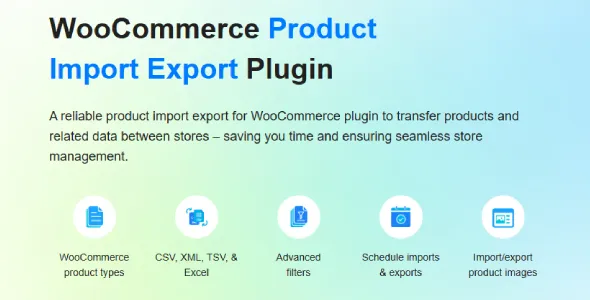
Import And Export Different WooCommerce Product Types
WooCommerce stores rarely use only one product type. A catalogue may include simple products, variable products with multiple variations, grouped items, external or affiliate products, downloadable files, and subscription-based products. WebToffee Product Import Export Plugin is designed to handle common WooCommerce product structures, including important information such as titles, descriptions, SKUs, prices, stock details, categories, tags, attributes, images, and custom metadata.
This flexibility makes the plugin suitable for new store setups, catalogue migrations, supplier data imports, regular stock updates, price revisions, and backup workflows. It can also help agencies move product data from a development website to a live store without rebuilding every listing manually.
Work With CSV, XML, Excel, TSV And Other Data Sources
Different suppliers and business systems provide product information in different formats. The plugin supports popular structured formats such as CSV, XML, Excel, and TSV, along with additional source options supported by the selected workflow. This allows store managers to use data received from suppliers, inventory systems, spreadsheets, migration tools, or another WooCommerce website.
During import, the column-mapping interface connects each source column to the correct WooCommerce field. For example, a supplier column named “Item Code” can be mapped to the WooCommerce SKU field, while “Retail Price” can be mapped to the regular price. Automatic mapping can save time when familiar column headers are used, and manual mapping gives you control when the source file has a custom structure.
Bulk Update Existing WooCommerce Products
The Product Import Export Plugin For WooCommerce is not limited to adding new products. It can also update existing catalogue records in bulk. This is valuable when you need to change prices, stock quantities, descriptions, sale information, attributes, categories, or other product fields across many listings.
Products can be matched using identifiers such as an ID or SKU, depending on the import configuration. A carefully prepared file can update only the fields that need attention while leaving unrelated product information unchanged. Before running a large update, it is always wise to create a database backup and test the process with a small batch.
Export A Clean And Useful Product Catalogue
The export tools give you control over the data included in the generated file. You can export an entire catalogue or apply filters to create a more focused dataset. Depending on your store data and settings, filters may include product category, tag, stock status, product type, or selected custom fields.
Exported information can be used for catalogue backups, reporting, offline editing, supplier coordination, store migration, or preparing a reusable import file. Product image URLs can be included with the exported data, helping preserve the connection between product records and their media during supported migration workflows.
Schedule Recurring Import And Export Tasks
Stores that receive regular inventory or pricing feeds may not want to run every process manually. WebToffee provides scheduling options that can automate import and export jobs at planned intervals. Supported workflows can use FTP, SFTP, or remote sources to collect or deliver product files, making the plugin useful for ongoing supplier synchronisation and recurring catalogue maintenance.
Scheduled tasks can reduce repetitive administration, but they should be configured carefully. File structure, product identifiers, server resources, and update rules should be tested before enabling a recurring job on a live store. Running resource-heavy imports during quieter hours can also reduce the impact on customers.
Key Features
- Import and export WooCommerce products in bulk.
- Work with simple, variable, grouped, external, downloadable, and other supported product types.
- Handle product names, descriptions, SKUs, prices, stock, categories, tags, attributes, images, and metadata.
- Use CSV, XML, Excel, TSV, and supported remote data sources.
- Map source columns to the correct WooCommerce product fields.
- Apply filters to create focused product exports.
- Update existing products using suitable identifiers such as SKU or product ID.
- Move catalogue information between WooCommerce websites.
- Process large catalogues in manageable batches.
- Create reusable import or export templates for repeated workflows.
- Schedule supported import and export jobs for recurring data management.
- Maintain product review data through the relevant review import and export workflow.
Useful For Store Migration And Catalogue Maintenance
Migrating product data is one of the most common reasons to use this plugin. You can export product information from one WooCommerce installation and prepare it for import into another store. This can be helpful when changing hosting providers, rebuilding a website, creating a regional store, or moving a staging catalogue to production.
The plugin is equally useful after migration. Store managers can export current product data, edit it in a spreadsheet, review the changes, and then import the revised file. This approach creates a clear workflow for catalogue teams that prefer spreadsheet-based editing while still keeping WooCommerce as the main store platform.
A Practical Choice For Agencies And Growing Stores
Agencies often manage several client stores with different catalogue sizes and structures. Product Import Export Plugin For WooCommerce offers a repeatable process that can reduce the time spent on manual catalogue entry. Growing businesses can use the same tools for supplier feeds, inventory updates, seasonal price changes, new category launches, or bulk corrections.
The advanced controls are valuable, but accurate source data remains essential. Before importing, review required fields, remove duplicate SKUs, confirm image URLs, validate variation relationships, and make sure category names follow a consistent structure. Good preparation produces cleaner results and makes troubleshooting easier.
Recommended Workflow Before A Large Import
- Create a complete database and file backup of the WooCommerce website.
- Review the source file and confirm that important identifiers are unique.
- Run a small test import using a limited number of products.
- Check prices, images, attributes, variations, stock, categories, and permalinks.
- Save a successful mapping or template when the same process will be repeated.
- Run the full import and review the generated history or logs.
Download Product Import Export Plugin For WooCommerce
Download Product Import Export Plugin For WooCommerce from GPLCARE and add a flexible catalogue management workflow to your online store. The downloadable package is suitable for users who want to install the plugin on a compatible WordPress and WooCommerce website and manage product data without editing every listing individually.
Please check the version shown in the product title and confirm compatibility with your current WordPress, WooCommerce, PHP, and third-party extension setup before installation. Features may vary between releases, so test major imports in a staging environment whenever possible.
Explore More WooCommerce Plugins
Browse More WordPress WooCommerce Plugins And Explore The Complete WordPress Plugins Collection Available On GPLCARE.
Frequently Asked Questions
Can I Import Variable Products?
Yes. The plugin supports variable products and their related variation data when the source file is structured and mapped correctly. Attributes, parent products, variation identifiers, prices, and stock information should be reviewed carefully before import.
Can I Update Prices And Stock In Bulk?
Yes. Existing products can be matched using an appropriate identifier, and selected fields such as prices or stock quantities can be updated through an import file. Always test a small batch and keep a recent backup before making catalogue-wide changes.
Can I Export Product Images?
Supported export workflows can include product image URLs with the catalogue data. During migration, confirm that the destination website can access the source images and that media permissions or remote restrictions do not block the transfer.
Is It Suitable For Large Stores?
The plugin includes batch-oriented workflows intended to make larger import and export jobs more manageable. Actual performance depends on server memory, execution limits, catalogue complexity, image sizes, and the number of custom fields. Large operations should be tested and scheduled during lower-traffic periods.
GPLCARE Updater Plugin
GPLCARE Updater Plugin Tutorial
New to GPLCARE? Watch this step-by-step tutorial to learn how to install, activate, and use the GPLCARE Updater Plugin directly from your WordPress dashboard.

Easy Installation Guide
Install the GPLCARE Updater Plugin in a few steps.

Update Management
Update themes and plugins directly from WordPress.

Tips & Best Practices
Keep your website updated and secure.
Support and updates
What is included?
Documentation You will find the item’s documentation within the .zip file you download.
Updates Available
You'll always have access to the latest features, fixes, and security updates. Simply re-download the item to get the most up-to-date files. You can find the updates change-log on the item’s description.
What is not included?
Author Support
Author support is not available for items downloaded on GPLCare. If you need support from this item’s author, we recommend you take a look at this item on Original Author. If support is offered, you will receive 6 months of support when you purchase the item there.
Technical support from GPLCare
GPLCare doesn’t offer technical support for individual items. If you need further assistance, please visit our Help center and create Support Tickets here.
Automatic updates All updates require manual installation.
Only logged in customers who have purchased this product may leave a review.
Related products

-92%
Original price was: $49.00.$3.99Current price is: $3.99.

-92%
Original price was: $49.00.$3.99Current price is: $3.99.

-92%
Original price was: $49.00.$3.99Current price is: $3.99.

-92%
Original price was: $49.00.$3.99Current price is: $3.99.
Reviews
Clear filtersThere are no reviews yet.