
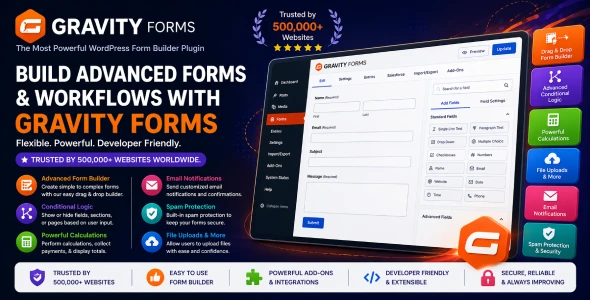

Gravity Forms WordPress Plugin for Professional Forms, Lead Capture, and Advanced Website Workflows
Gravity Forms WordPress Plugin is a powerful form builder for WordPress users who need more than a basic contact form. It helps website owners create professional forms for enquiries, registrations, surveys, payments, file uploads, quote requests, bookings, applications, user submissions, and business workflows. Whether you run a blog, agency website, WooCommerce store, membership platform, service business, or client project, Gravity Forms gives you a flexible way to collect and manage information directly from your website.
Forms are one of the most important parts of any website because they connect visitors with action. A well-built form can generate leads, collect orders, qualify customers, receive support requests, accept applications, and automate follow-up tasks. Gravity Forms is designed for users who want reliable form creation with deeper control over fields, logic, notifications, and data collection.
Form Builder Analysis: Product Purpose, Category, and Audience Fit
Gravity Forms belongs to the WordPress Plugin category and is widely used for advanced form creation and data collection. Its main purpose is to help users build forms that are not only attractive but also functional, structured, and useful for real business needs.
This plugin fits the WordPress productivity, lead generation, website automation, and customer communication industry. Many websites need forms that can do more than collect a name and email address. They may need conditional fields, multi-step form layouts, file uploads, payment collection, email notifications, CRM integrations, or internal submission management.
Who Can Use Gravity Forms?
- WordPress users who need professional contact and enquiry forms
- Developers building advanced client websites
- Freelancers creating lead capture and service request forms
- Agencies managing business websites and marketing campaigns
- Bloggers collecting guest posts, feedback, or newsletter interest
- WooCommerce store owners handling custom requests and applications
- Organizations that need structured form submissions and workflows
Contact Forms That Work Like Real Business Tools
A basic contact form may be enough for a small personal website, but business websites often need more control. Gravity Forms WordPress Plugin allows site owners to create contact forms that collect the right information from the right visitor, making it easier to respond quickly and professionally.
For example, a digital agency may need a project enquiry form with fields for budget, service type, website URL, timeline, and message. A local service provider may need a quote request form with location, phone number, preferred date, and service category. A consultant may need a booking request form that helps qualify the client before the first call.
This makes Gravity Forms valuable because it turns a simple website form into a proper communication channel.
Conditional Logic for Smarter Form Experiences
Not every visitor needs to see the same form fields. Conditional logic helps create a cleaner experience by showing or hiding fields based on the user’s answers. Gravity Forms is especially useful for forms that need to adapt to different user choices.
For example, if a visitor selects “Website Design” as a service, the form can show website-related questions. If they select “SEO,” it can show fields about keywords, current traffic, or target location. If they select “Support Request,” it can ask for order number, issue type, and file upload.
Conditional Form Ideas
- Quote forms that change based on selected service
- Support forms that show different fields for different issues
- Application forms that ask follow-up questions only when needed
- Survey forms that adapt to user responses
- WooCommerce custom request forms based on product type
- Registration forms with role-specific fields
Multi-Step Forms for Longer Applications and Detailed Enquiries
Long forms can feel overwhelming when all questions appear on one page. Gravity Forms can help create multi-step form experiences where questions are divided into smaller sections. This makes longer forms easier to complete and more comfortable for users.
Multi-step forms are useful for job applications, customer onboarding, event registration, admission forms, loan enquiries, project briefs, vendor applications, and detailed service requests. Instead of making the visitor face a long list of fields at once, the form can guide them step by step.
This improves usability because the form feels organized. It also helps businesses collect complete information without making the user feel rushed or confused.
Lead Generation Forms for Agencies, Consultants, and Service Businesses
For service businesses, the quality of leads matters as much as the number of leads. Gravity Forms can help create forms that qualify visitors before they reach your inbox. Instead of receiving unclear messages like “I need a website,” you can ask structured questions that help you understand the project immediately.
A web development agency can ask about project type, budget, platform, timeline, and existing website. An SEO consultant can ask about business location, target keywords, website URL, and current challenges. A marketing agency can collect campaign goals, monthly budget, and preferred channels.
Lead Qualification Fields to Consider
- Service requirement
- Project budget range
- Expected timeline
- Business website or social profile
- Phone number and preferred contact method
- Short project description
- File upload for references or documents
File Upload Forms for Documents, Images, and Client Materials
Many websites need to collect files from users. Gravity Forms can be useful for file upload forms where visitors submit documents, images, screenshots, resumes, project references, identity documents, design files, or support attachments.
This is helpful for agencies, schools, recruitment websites, printing businesses, service providers, legal consultants, online course platforms, and WooCommerce stores that need extra customer files after purchase.
For example, a printing business can collect customer artwork. A recruitment website can collect resumes. A service business can ask customers to upload reference photos. A digital agency can collect project briefs and brand assets. This reduces messy email exchanges and keeps submissions more organized.
Gravity Forms Compared with Basic Contact Form Plugins
Basic contact form plugins are useful for simple websites, but they may not offer enough flexibility for advanced business needs. Gravity Forms is more suitable when you need conditional logic, multi-page forms, file uploads, payment forms, advanced notifications, integrations, and structured entry management.
Compared with a simple free form plugin, Gravity Forms is better for professional projects where reliability, flexibility, and workflow control matter. It is especially relevant for users searching for terms like “Gravity Forms WordPress Plugin,” “advanced WordPress form builder,” “WordPress contact form plugin,” “conditional logic form WordPress,” and “WordPress form plugin for business websites.”
For developers and agencies, this plugin can save time because it provides a strong form-building foundation without needing custom form development for every project.
Payment, Registration, and Booking Form Possibilities
Gravity Forms can support many business workflows beyond normal contact forms. Depending on your setup and integrations, it can be used for payment forms, event registrations, appointment requests, course applications, donation forms, product enquiries, and paid submissions.
This is useful when you do not need a full WooCommerce product checkout for every situation. Sometimes a simple payment or registration form is easier. For example, a club can collect event registration fees, a consultant can accept paid consultation requests, or a nonprofit can collect donation information.
Workflow Examples
- Event registration forms
- Donation and fundraising forms
- Paid consultation request forms
- Course admission forms
- Membership application forms
- Booking request forms
- Custom order request forms
WooCommerce Store Support Forms and Custom Request Handling
WooCommerce store owners can use Gravity Forms to collect information that does not fit neatly into a normal product page or checkout. It can be used for custom order requests, wholesale applications, product enquiry forms, return requests, warranty claims, reseller applications, and customer support submissions.
For digital product stores, Gravity Forms can help collect license support requests, download issues, website details, plugin conflict reports, or customization enquiries. For physical product stores, it can collect return details, damaged product photos, delivery issues, and replacement requests.
This gives WooCommerce store owners a cleaner way to manage customer communication instead of relying only on email or chat messages.
Developer and Agency Workflow for Client Projects
Developers, freelancers, and agencies often need a form plugin that can handle many different client requirements. Gravity Forms is useful because it can be adapted for contact pages, lead funnels, application systems, surveys, payment forms, client onboarding, and internal business processes.
Instead of building custom forms manually, developers can create structured forms faster and adjust them as the client’s needs change. This is especially valuable for ongoing client work where forms may need new fields, notification changes, conditional logic updates, or integration with other tools.
Client Projects Where Gravity Forms Fits Well
- Business enquiry websites
- Agency lead generation websites
- Education and admission forms
- Recruitment and job application systems
- Event registration websites
- WooCommerce support and request forms
- Membership and nonprofit application workflows
Better Data Collection Through Organized Form Fields
A good form is not just about adding fields. It should ask the right questions in the right order. Gravity Forms helps website owners create structured forms that collect useful information without overwhelming the user.
For best results, keep forms simple where possible and use conditional logic for longer workflows. Avoid asking unnecessary questions. Use clear labels, helpful descriptions, required fields only when needed, and confirmation messages that tell users what happens next.
Before Publishing a Form, Check:
- Whether every field has a clear purpose
- Whether the form is easy to complete on mobile
- Whether required fields are truly necessary
- Whether notifications go to the correct email address
- Whether confirmation messages are clear
- Whether file upload limits are suitable
- Whether sensitive data is handled carefully
Getting Gravity Forms WordPress Plugin from GPLCare
GPLCare.com provides WordPress themes and plugins for users who want affordable access to professional website-building tools. Gravity Forms WordPress Plugin is a strong choice for anyone who wants to create advanced WordPress forms for leads, applications, registrations, payments, file uploads, surveys, support requests, and business workflows.
After installing the plugin, start with one important form and test it properly. Submit sample entries, check email notifications, review confirmation messages, test mobile layout, and make sure the collected data is useful. For better results, combine Gravity Forms with clear page copy, strong call-to-action text, spam protection, privacy-friendly data handling, and regular form performance review.
Frequently Asked Questions About Gravity Forms WordPress Plugin
What is Gravity Forms WordPress Plugin used for?
Gravity Forms WordPress Plugin is used to create advanced forms for contact pages, lead generation, registrations, surveys, file uploads, payments, applications, support requests, and business workflows.
Is Gravity Forms better than a basic contact form plugin?
Gravity Forms is more suitable for advanced needs because it supports complex form structures, conditional logic, multi-step forms, file uploads, notifications, and professional data collection workflows.
Can I create lead generation forms with Gravity Forms?
Yes. You can create lead capture forms, quote request forms, consultation forms, project enquiry forms, and service-specific forms that help qualify potential customers.
Does Gravity Forms support file uploads?
Yes. Gravity Forms can be used to collect uploaded files such as documents, images, resumes, screenshots, project files, and customer support attachments.
Can WooCommerce store owners use Gravity Forms?
Yes. WooCommerce store owners can use Gravity Forms for product enquiries, custom order requests, return forms, wholesale applications, support requests, and customer information collection.
Is Gravity Forms useful for developers and agencies?
Yes. Developers and agencies can use Gravity Forms for client websites that need professional form workflows, conditional forms, application systems, registrations, and structured submission management.
Who should download Gravity Forms WordPress Plugin from GPLCare?
This plugin is ideal for WordPress users, developers, freelancers, agencies, bloggers, business owners, organizations, and WooCommerce store owners who need a reliable and flexible form builder for WordPress.



Reviews
Clear filtersThere are no reviews yet.