-79%
- Lifetime Validity & Unlimited Websites
- Simply Upload the Template Kit, and Use
- Instant Delivery after Purchase
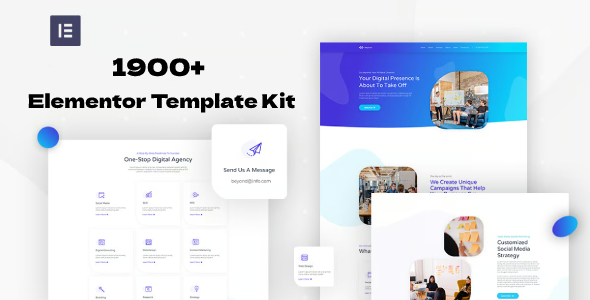
1900+ Elementor Template Kit Pack (Lifetime Update)
Original price was: $29.00.$5.99Current price is: $5.99.
785
Items sold in last 4 weeks
16
People watching this product now!
Description
Building every client website from a blank canvas can consume hours before the real customization even begins. This large Elementor template-kit collection is intended to shorten that early production stage by giving designers, agencies, freelancers, and site owners a broad set of pre-designed website directions to explore. Instead of treating the pack as a collection to import all at once, the best approach is to use it as a searchable design library: choose one kit that matches the project, check its requirements, import only what is needed, and then rebuild the visual identity around the client’s content.
A Practical Design Library For Faster Website Production
Elementor template kits normally organize coordinated pages and sections around a particular industry or purpose. A kit may contain a homepage, about page, services, contact layout, team presentation, portfolio, blog views, headers, footers, or other reusable templates. The exact contents and technical requirements can differ from one kit to another, which is why a large collection is most useful when it is managed carefully rather than installed without review.
For an agency, the collection can support early concept work across business websites, creative portfolios, landing pages, online services, local companies, professional practices, and campaign-based projects. Freelancers can use selected layouts as a starting point for client presentations. Business owners can compare design directions before committing to a custom build. The value comes from faster exploration and implementation, not from publishing unchanged demo content.
Who Can Make Effective Use Of The Pack
- WordPress professionals who produce websites for several industries.
- Elementor users who want coordinated page designs instead of isolated blocks.
- Agencies preparing prototypes or initial visual directions for clients.
- Freelancers who need a reusable starting library for recurring projects.
- Site owners comfortable importing templates and replacing all demo material.
- Design learners studying layout, spacing, hierarchy, and responsive composition.
Beginners should plan extra time for WordPress administration, plugin requirements, global styles, forms, menus, and responsive testing. A template kit can accelerate layout creation, but it does not automatically configure hosting, security, SEO, analytics, eCommerce, email delivery, legal pages, or business-specific integrations.
Understand The Difference Between A Kit And A Theme
A WordPress theme controls the broader presentation framework of a website, while an Elementor template kit usually supplies designs that are imported into the Elementor editing environment. The kit may rely on a compatible base theme and additional plugins. Some kits work with the free Elementor plugin, while others require Elementor Pro or third-party add-ons for specific widgets, forms, headers, footers, or dynamic content.
Do not assume that every item in a large pack has identical requirements. Read the documentation supplied with the selected kit, identify required plugins before import, and confirm whether any premium add-ons are necessary. If a template references a widget that is unavailable, the corresponding section may appear incomplete until the correct dependency is installed.
Choose A Kit With A Project-First Method
Begin with the website’s goal rather than the visual trend. A legal practice needs clarity, trust signals, and straightforward enquiry paths. A restaurant may prioritize menus, location details, bookings, and photography. A creative portfolio benefits from strong project presentation, while a service business needs clear offers and conversion-focused calls to action. Shortlist kits according to those requirements, then compare navigation, page depth, typography, spacing, and mobile behavior.
After choosing a direction, list the templates actually required for launch. Importing only the necessary pages keeps the WordPress dashboard cleaner and reduces time spent removing unused demo layouts. Maintain a small project record containing the kit name, required plugins, import date, custom fonts, brand colors, and any later modifications. This becomes especially helpful when managing several client websites.
Recommended Import And Customization Workflow
- Create a fresh backup or work on a staging installation.
- Install WordPress, a compatible theme, Elementor, and the dependencies identified in the kit documentation.
- Upload or import the selected kit through the supported Elementor workflow.
- Import global styles first when the kit provides them, followed by individual templates in a controlled order.
- Create the required WordPress pages and insert the imported Elementor templates.
- Configure menus, page templates, headers, footers, forms, and site-wide settings.
- Replace every demo image, logo, address, testimonial, profile, link, and paragraph.
- Check desktop, tablet, and mobile layouts before publishing.
If an import fails, avoid repeatedly uploading the same file without checking the cause. Confirm the WordPress memory limit, PHP upload limits, plugin dependencies, file format, and Elementor system information. Importing one template at a time can make it easier to identify a problematic dependency or damaged file.
Turn A Premade Layout Into An Original Website
A template should establish structure, not dictate the final identity. Replace global colors and typography first, because those changes influence the entire site. Then adjust section order, content density, imagery, icon style, button language, spacing, and calls to action around the real brand. Remove sections that do not serve the visitor and create new ones when the business needs information not covered by the demo.
Original copy and media are essential. Publishing the supplied placeholders or copying another website’s text creates a weak user experience and can introduce copyright or search-quality problems. Write project-specific headings, service explanations, proof points, FAQs, and contact prompts. Optimize images before upload and add meaningful alternative text where appropriate.
Compatibility, Assets, And Licensing Checks
Because the collection contains many separately created kits, compatibility should be evaluated per kit. Check the required Elementor edition, add-on plugins, theme recommendation, form integrations, and current WordPress environment. Test on staging before using a selected kit on a live client site. A successful import does not guarantee that every third-party widget will remain compatible with future platform changes.
Template previews may display stock photos, fonts, illustrations, videos, or icons for demonstration. Those assets are not automatically licensed for commercial publication simply because their references appear in a template. Replace demo media with properly licensed assets and review any included notices. Keep independent backups of completed projects and downloaded files.
Download Elementor Template Kits From GPLCARE
GPLCARE provides downloadable website-building resources for users who manage their own WordPress projects. This pack can help reduce repetitive layout work when it is used as an organized source of design starting points. Download the files, choose a suitable kit, follow its documentation, and test the result before deployment. Installation, customization, plugin subscriptions, asset licensing, backups, and final compatibility remain the responsibility of the user.
Browse the Elementor Template Kit collection when you want to review individual website styles and project categories. GPL-related terms apply only to files and components distributed under applicable open-source licensing; third-party media and external services may have separate terms. A careful selection and customization process will produce a stronger result than importing many kits without a defined website plan.
GPLCARE Updater Plugin
GPLCARE Updater Plugin Tutorial
New to GPLCARE? Watch this step-by-step tutorial to learn how to install, activate, and use the GPLCARE Updater Plugin directly from your WordPress dashboard.

Easy Installation Guide
Install the GPLCARE Updater Plugin in a few steps.

Update Management
Update themes and plugins directly from WordPress.

Tips & Best Practices
Keep your website updated and secure.
Support and updates
What is included?
Documentation You will find the item’s documentation within the .zip file you download.
Updates Available
You'll always have access to the latest features, fixes, and security updates. Simply re-download the item to get the most up-to-date files. You can find the updates change-log on the item’s description.
What is not included?
Author Support
Author support is not available for items downloaded on GPLCare. If you need support from this item’s author, we recommend you take a look at this item on Original Author. If support is offered, you will receive 6 months of support when you purchase the item there.
Technical support from GPLCare
GPLCare doesn’t offer technical support for individual items. If you need further assistance, please visit our Help center and create Support Tickets here.
Automatic updates All updates require manual installation.
Only logged in customers who have purchased this product may leave a review.
Reviews
Clear filtersThere are no reviews yet.