
-94%
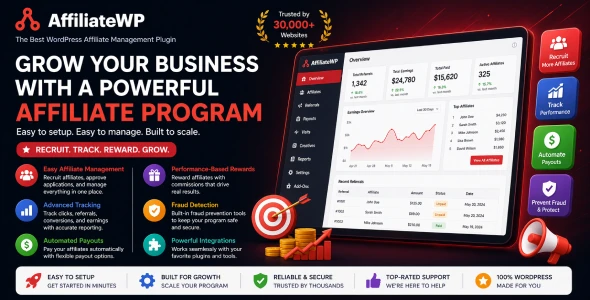
License: GPL | Version: v1.6.2 | Developer: AffiliateWP
This is The Exact Same File as Distributed by The Developer (Click Here)
AffiliateWP Lifetime Commissions v1.6.2
Original price was: $49.00.$2.99Current price is: $2.99.
570
Items sold in last 4 weeks
4
People watching this product now!
Description

AffiliateWP Lifetime Commissions v1.6.2 Overview
AffiliateWP Lifetime Commissions v1.6.2 is an add-on for businesses that want an affiliate to keep earning from the future purchases of a customer they originally referred. Instead of relying only on a browser cookie for every returning order, the add-on creates a lasting relationship between the customer and the affiliate. When that customer purchases again through a supported integration, AffiliateWP can recognize the relationship and generate the appropriate commission.
This model is valuable for stores, membership businesses, digital product sellers, and service providers with meaningful repeat-purchase revenue. An affiliate may invest more effort in education, tutorials, product comparisons, and audience support when the reward does not end after one transaction. For the merchant, the add-on creates a structured way to recognize long-term customer acquisition without turning every future order into a new attribution debate.
Lifetime Commissions extends AffiliateWP and does not operate as a standalone affiliate platform. The core AffiliateWP plugin, a supported commerce or form integration, correctly configured referral rules, and a tested checkout flow are still required. The add-on changes how a known returning customer can remain associated with an affiliate; AffiliateWP continues to handle affiliates, visits, referrals, reports, and payouts.
How Lifetime Customer Linking Works
A typical relationship begins when a customer follows an affiliate referral URL and completes a qualifying purchase. The add-on links that customer to the referring affiliate. On a future purchase, the linked affiliate can receive commission even when the customer visits the site directly, clears the original tracking cookie, or uses another computer. This is possible because the relationship is stored against customer identity rather than depending solely on the original browser session.
For a guest purchase, the customer’s checkout email address is used to look up the linked affiliate. When the shopper is logged in, the WordPress user ID can be used. If a logged-in customer later buys with another email address or changes the address on the WordPress profile, the add-on can retain the additional identity information associated with the same affiliate relationship. That helps preserve attribution when the customer subsequently checks out as a guest.
A customer can be linked to only one affiliate at a time. This rule prevents two affiliates from simultaneously claiming lifetime credit for the same identity, but it also makes initial attribution and reassignment policies important. Administrators should define exactly which event creates the relationship, which competing signals can override it, and when a customer may be transferred to another affiliate.
Why Lifetime Commissions Can Motivate Better Promotion
A one-time commission rewards the first conversion. A lifetime arrangement rewards the affiliate for attracting a customer whose value develops across future orders. That can encourage partners to focus on audience fit and customer quality instead of chasing a single low-intent purchase. Educational creators may be more willing to publish detailed guides, comparison content, onboarding material, or ongoing product coverage when repeat business remains attributable.
The incentive must still be economically sustainable. An indefinite commission is a long-term cost attached to the customer relationship. Before enabling it broadly, compare customer lifetime value, gross margin, refund rate, support cost, discounting, and the proposed affiliate rate. A commission structure that looks reasonable on the first order may become unprofitable when repeatedly applied to low-margin products.
Many programs begin with a limited group of proven affiliates. AffiliateWP allows lifetime commissions to be enabled for all affiliates or only selected accounts. Selective access can function as a performance benefit while the business gathers data. After testing the margin impact and operational workload, the program owner can decide whether to expand eligibility.
Global And Per-Affiliate Configuration
The add-on’s settings are available within the AffiliateWP administration area. A global option can enable lifetime commissions for every eligible affiliate. When that option is disabled, administrators can open an individual affiliate record and enable the feature only for that account. This provides a practical way to create different partnership levels without changing the entire program.
Lifetime referral rates can also be configured independently. A program can use a specific percentage or flat amount for repeat purchases and can provide a custom setting for an individual affiliate. Per-affiliate lifetime values override the global lifetime values for that account. This is useful when a strategic partner has a negotiated agreement, but every exception should be documented to prevent payout disputes.
The Lifetime Length setting controls how long the relationship remains eligible. A value of zero represents an indefinite link, while a defined number of days creates a fixed attribution period. A limited duration may better match products with a predictable repurchase cycle. An indefinite duration may suit businesses that intentionally promise continuing credit for the acquired customer.
There is also an option to link referred users at registration instead of waiting for a purchase. This can be useful when the registration itself is an important acquisition milestone and purchases happen later. Test it carefully with free registrations, imported accounts, social login, and membership workflows so that an early low-intent signup does not create an unintended permanent relationship.
Lifetime Referral Rate Precedence
AffiliateWP can contain several overlapping commission rules: a site-wide rate, product or category rates, affiliate-specific rates, group rates, product rates, lifetime rates, and recurring renewal rates. The lifetime referral rate is designed to take precedence for qualifying single purchases from a linked customer. A per-affiliate lifetime rate takes precedence over the global lifetime rate.
Recurring subscription payments are a separate case. They are generally governed by the Recurring Referrals add-on and its own rate hierarchy. Do not assume that a lifetime rate will automatically control every subscription renewal. If a site sells both one-time items and subscriptions, create a test matrix covering initial orders, later standalone purchases, renewals, upgrades, cancellations, refunds, and mixed carts.
A lifetime rate set to zero may allow the applicable default or affiliate-specific rate to be used, depending on the configuration. Administrators should verify the calculated amount in the referral record instead of relying on memory. A staging transaction with a clearly distinguishable test rate is often the fastest way to see which rule won.
Supported AffiliateWP Integrations
According to the developer’s published documentation, Lifetime Commissions supports WooCommerce, Easy Digital Downloads, Gravity Forms, Ninja Forms, Paid Memberships Pro, Restrict Content Pro, PayPal Buttons, and MemberPress. Each integration has its own concept of an order, payment, membership, or form conversion, so test the exact workflow used on the live site.
The add-on does not support referrals generated through the [affiliate_conversion_script] shortcode. That limitation matters for custom off-site conversion arrangements and hand-built checkout flows. A website that creates referrals through custom code should confirm compatibility with the relevant AffiliateWP APIs and seek developer guidance before promising lifetime credit.
Support for one integration should not be generalized to every product from the same vendor. For example, a separate payment plugin or custom gateway can behave differently from the officially listed integration. Confirm current compatibility for the installed versions of WordPress, AffiliateWP, the commerce or membership plugin, and the Lifetime Commissions add-on.
Linking Customers Through Referral Coupons
Tracked affiliate coupon codes can create a lifetime customer relationship. When a shopper uses a coupon assigned to an affiliate, the customer can become linked to that affiliate even if a referral URL was not used. This is helpful for podcasts, videos, offline promotions, and channels where a memorable code is easier to communicate than a clickable URL.
Coupon precedence also affects linked customers. If a customer already connected to one affiliate uses a tracked coupon assigned to another affiliate, the coupon affiliate can receive commission for that order instead of the previously linked partner. Program owners should decide whether the lifetime relationship itself should change after this event and confirm the installed version’s behavior through a controlled test.
Publish a clear coupon policy. Affiliates need to know whether public coupon sites are permitted, whether codes may be advertised through paid search, and how an affiliate coupon interacts with an existing customer relationship. Technical tracking can record an outcome, but only a written policy can explain why that outcome is fair.
Manual Customer Linking And Reassignment
Administrators can link a customer to an affiliate from the affiliate editing screen by adding the customer’s email address. This is useful for migrating a documented partnership, correcting a verified tracking failure, or setting up an approved offline arrangement. A guest customer can be linked by email even when no WordPress user account exists.
A linked customer can also be unlinked or moved to another affiliate. Reassignment should be treated as a controlled financial action. Record the previous affiliate, new affiliate, customer identifier, effective date, reason, and administrator who approved the change. Without an audit note, later referrals may appear inconsistent and create avoidable disputes.
Manual edits should never be used to disguise organic sales as affiliate referrals or to rewrite attribution casually. Create an internal permission policy so only authorized program managers can change customer relationships. For higher-volume programs, review customer-link changes alongside payout reconciliation.
Affiliate Visibility And Customer Privacy
The Lifetime Customers Access setting can give affiliates a view of customers linked to their accounts. A Lifetime Customers tab or the [affiliate_lifetime_customers] shortcode can expose the relevant list in the affiliate area. Visibility may motivate partners and help them understand long-term performance, but customer information must be handled carefully.
The add-on includes a setting to hide customer email addresses from affiliates. Enabling it can reduce unnecessary exposure of personally identifiable information. Even when email addresses are hidden, the program should reveal only the minimum information required for a legitimate business purpose. Affiliates generally do not need direct access to customer contact data to earn commission.
Update the site’s privacy notice, data map, access controls, and retention policy to reflect the lifetime relationship. The term lifetime can imply a very long retention period, but privacy law and business needs may require a more limited approach. The configured Lifetime Length can be part of that design. Legal requirements vary, so obtain qualified advice for the countries and audiences involved.
Lifetime Commissions Versus Cookie Duration
A long affiliate cookie and a lifetime customer link solve different problems. Extending cookie duration can keep a browser associated with an affiliate for a longer period, but the cookie may be cleared, blocked, expire, or remain on a device the customer no longer uses. Lifetime Commissions uses stored customer identity after the qualifying relationship is created.
The stored relationship is therefore more durable across browsers and devices, but it is not magical identity resolution. A guest who uses a completely different email address with no logged-in user relationship may not match the existing record. Shared email addresses, account merges, spelling errors, and privacy-oriented relay addresses can also complicate identification.
Use normal referral tracking to establish the initial relationship, then use the stored customer link for future eligible purchases. This layered model is more reliable than simply setting an extremely long cookie and assuming it will survive every browser change.
Lifetime Commissions Versus Recurring Referrals
Lifetime Commissions rewards future purchases made by a linked customer. Recurring Referrals is designed for subsequent payments in a subscription or recurring billing sequence. A returning customer buying a new standalone product is not the same event as an automatic renewal of an existing subscription.
A business can use both add-ons when it sells subscriptions and additional one-time products, but the rate hierarchy must be tested. Renewal referrals should follow recurring-referral settings, while separate purchases by the linked customer may use the lifetime rate. Label test products and rates clearly so the accounting team can distinguish the two paths.
This distinction also affects program messaging. Saying that an affiliate receives lifetime commissions on everything can be misleading if renewals use another rate, some products are excluded, or the relationship expires after a defined number of days. Describe the actual configured rules rather than relying on the add-on’s name.
Recommended Installation And Setup Process
- Create a full database and file backup, then confirm that AffiliateWP and the intended commerce, form, or membership integration are working.
- Download the AffiliateWP Lifetime Commissions v1.6.2 package and make sure you have the installable plugin ZIP.
- Use Plugins And Add New in WordPress to upload, install, and activate the add-on.
- Open the Lifetime Commissions settings and decide whether eligibility applies globally or only to selected affiliates.
- Choose the lifetime referral rate, rate type, relationship length, registration-linking behavior, affiliate visibility, email privacy, and deletion preferences.
- Create a test affiliate, a test customer, and a clearly identifiable referral rate in a staging environment.
- Complete the initial referred transaction, then return in a clean browser or on another device and place a second order.
- Inspect the customer link, referral indicator, commission amount, integration order data, and final payout eligibility.
Do not activate the add-on across a mature program until the financial terms are ready. Existing affiliates may interpret the feature as a contractual promise. Decide the effective date, eligible customers, excluded products, treatment of existing customer relationships, and what happens if an affiliate account becomes inactive.
Testing Guest And Logged-In Customer Journeys
Begin with a logged-in test customer who arrives through a valid referral link and completes a supported purchase. Confirm that the customer is listed under the affiliate and that the referral is correctly attributed. Log out, clear cookies, return directly, and purchase using the same email address. The new order should demonstrate whether identity-based lifetime matching works in the expected integration.
Repeat the test as a guest customer. Then create a WordPress account with the same email and test another transaction. For a logged-in account, change the profile email through a legitimate workflow and confirm whether the additional address remains associated. These scenarios reproduce the identity transitions that happen on a real store.
Also test failure and conflict cases: a different guest email, an affiliate coupon belonging to another partner, an expired Lifetime Length, a refunded order, an inactive affiliate, and a subscription renewal. Record expected and actual outcomes so later plugin updates can be checked against the same test plan.
Reporting And Payout Reconciliation
AffiliateWP adds a visual indicator for referrals generated through a linked lifetime customer. Use that marker during reporting to separate ordinary cookie-based referrals from lifetime commissions. The distinction helps the business measure whether the program is acquiring valuable repeat customers or simply adding commission to purchases that would have happened anyway.
Track metrics such as first-order revenue, repeat-order revenue, gross margin after commission, time between purchases, refund rate, and affiliate concentration. A partner who produces many lifetime customers may deserve a different agreement, but a high referral total does not automatically mean high profit.
Before payouts, reconcile the AffiliateWP referral with the commerce or membership transaction. Check order status, refunds, chargebacks, coupons, tax treatment, and any excluded items. Lifetime attribution determines who may receive credit; it does not replace financial review.
Common Configuration Risks
The largest risk is enabling indefinite commissions without modeling cost. A second risk is exposing customer email addresses more broadly than necessary. Other common mistakes include misunderstanding recurring renewals, assuming unsupported integrations will work, manually reassigning customers without records, and failing to test coupon precedence.
Duplicate or inconsistent customer records can also affect attribution. Normalize checkout and account workflows where possible, avoid unnecessary account duplication, and document how support staff should handle email changes. Do not edit the database directly unless a qualified developer has a backup and understands the add-on’s data relationships.
The Remove Data When Deleted option deserves special attention. It can clean add-on data when the plugin is deleted, but removed relationships may not be recoverable. Do not enable destructive cleanup casually on a production site. Export or back up the relevant data and understand the retention requirement first.
Troubleshooting Lifetime Commission Issues
If the initial customer link is missing, confirm that the purchase arrived through a valid AffiliateWP referral or tracked coupon, the affiliate was active, lifetime commissions were enabled for that affiliate, and the integration supports the transaction. Check the AffiliateWP visit and referral records before investigating the later purchase.
If the link exists but a repeat order receives no commission, compare the guest email, WordPress user ID, login status, relationship age, and Lifetime Length. Confirm that the later event is a supported purchase rather than an unsupported conversion-script referral. For a subscription payment, inspect Recurring Referrals settings and integration support.
If the wrong rate is applied, review global lifetime settings, per-affiliate lifetime overrides, fixed versus percentage rate type, product and group rules, and recurring-payment rules. Use a small staging order with easy-to-recognize rates. Caches rarely determine the monetary calculation directly, but stale admin screens can obscure recently changed settings, so reload reports before concluding that a save failed.
Using Lifetime Commissions With Other Affiliate Tools
Lifetime Commissions can complement source tracking, coupons, and affiliate management tools when each feature has a defined role. For example, AffiliateWP Direct Link Tracking v1.3.3 can establish a visit from an approved publisher domain without a visible referral parameter. Lifetime Commissions can then preserve the customer relationship after a qualifying purchase. The two mechanisms should be tested together rather than assumed to combine perfectly in every setup.
Explore other GPL-distributed extensions in the WordPress Plugins Collection. Add only the modules your program needs. Every new attribution method introduces another rule that administrators, affiliates, support staff, and accountants must understand.
Who Should Use This Add-On
AffiliateWP Lifetime Commissions is well suited to businesses with repeat purchases, identifiable customers, healthy margins, and trusted affiliates who influence long-term acquisition. Examples include digital download stores, education platforms, membership businesses with additional purchases, specialist retailers, and service firms where customers return over time.
It may be less suitable for one-time purchases, anonymous buyers, very low-margin products, programs with frequent affiliate disputes, or stores where customers commonly use changing relay email addresses. A fixed attribution window may be more responsible than an indefinite relationship when buying cycles are short.
The best candidate is a program that can answer three questions clearly: what links a customer, how long the link lasts, and which rate applies to each type of future payment. If those answers are uncertain, finish the policy and testing work before enabling the feature widely.
GPL Download And Support Information
The AffiliateWP Lifetime Commissions v1.6.2 download offered through GPLCare is intended for WordPress users who are comfortable installing and maintaining GPL-distributed plugin files. The downloadable archive may not include the original developer’s private account access, license-key services, automatic updates, hosted features, or direct premium support. Check the information presented with the product before installation.
Keep a known-good copy of the plugin and test every update on staging. Because this add-on influences commission calculations, an update should be verified with both initial and repeat purchases before deployment. Consult the original developer’s documentation for feature behavior and current compatibility requirements, and contact GPLCare regarding the file supplied from this website.
Frequently Asked Questions
Does AffiliateWP Lifetime Commissions Work On Its Own?
No. It is an add-on for AffiliateWP and requires the core plugin plus a supported conversion integration.
Will The Affiliate Earn If The Customer Clears Cookies?
Yes, a linked customer can still be recognized through the stored user or email relationship. The initial relationship must have been created correctly, and the later purchase must use an identity the add-on can match.
Can One Customer Be Linked To Two Affiliates?
No. A customer is associated with one affiliate at a time. Administrators can unlink or transfer the customer when a legitimate policy reason exists.
Can I Limit The Lifetime Period?
Yes. Set the Lifetime Length to a chosen number of days. A value of zero represents an indefinite relationship.
Can Affiliates See Their Linked Customers?
Yes, when customer access is enabled. Administrators can hide email addresses to reduce exposure of personal information.
Can A Coupon Create A Lifetime Customer?
Yes. A tracked coupon assigned to an affiliate can link the purchasing customer. A coupon belonging to a different affiliate can also affect commission attribution for that order.
Does It Support Every AffiliateWP Integration?
No. Use one of the officially supported integrations and verify the current documentation. The affiliate conversion script shortcode is specifically not supported for lifetime referrals.
Are Subscription Renewals Lifetime Commissions?
Not necessarily. Recurring renewals are handled through the Recurring Referrals workflow and rate hierarchy. Test subscriptions separately from new standalone purchases.
What Happens If A Customer Uses A New Email Address?
A logged-in customer’s additional or changed email can be stored with the linked affiliate. A completely unrelated guest address may not match, so test the customer journeys common to your store.
Should I Enable It For Every Affiliate?
Only after checking profitability, privacy, policy, and operational readiness. Many businesses begin with selected trusted affiliates and expand after measuring results.
Final Verdict
AffiliateWP Lifetime Commissions v1.6.2 provides a durable attribution option for rewarding the affiliate who acquired a returning customer. Its identity-based customer link, global and per-affiliate controls, custom lifetime rates, relationship duration, manual management, coupon support, affiliate visibility, and privacy settings make it more flexible than simply extending a browser cookie.
The value comes from careful implementation. Model the financial impact, choose supported integrations, protect customer data, document reassignment and coupon rules, distinguish lifetime purchases from subscription renewals, and test real guest and logged-in journeys. With those foundations in place, the add-on can support a transparent long-term incentive for affiliates who bring genuinely valuable customers.
GPLCARE Updater Plugin
GPLCARE Updater Plugin Tutorial
New to GPLCARE? Watch this step-by-step tutorial to learn how to install, activate, and use the GPLCARE Updater Plugin directly from your WordPress dashboard.

Easy Installation Guide
Install the GPLCARE Updater Plugin in a few steps.

Update Management
Update themes and plugins directly from WordPress.

Tips & Best Practices
Keep your website updated and secure.
Support and updates
What is included?
Documentation You will find the item’s documentation within the .zip file you download.
Updates Available
You'll always have access to the latest features, fixes, and security updates. Simply re-download the item to get the most up-to-date files. You can find the updates change-log on the item’s description.
What is not included?
Author Support
Author support is not available for items downloaded on GPLCare. If you need support from this item’s author, we recommend you take a look at this item on Original Author. If support is offered, you will receive 6 months of support when you purchase the item there.
Technical support from GPLCare
GPLCare doesn’t offer technical support for individual items. If you need further assistance, please visit our Help center and create Support Tickets here.
Automatic updates All updates require manual installation.
Only logged in customers who have purchased this product may leave a review.
Related products
-94%
Original price was: $49.00.$2.99Current price is: $2.99.
-94%
Original price was: $49.00.$2.99Current price is: $2.99.
-94%
Original price was: $49.00.$2.99Current price is: $2.99.
-92%
Original price was: $49.00.$3.99Current price is: $3.99.
Reviews
Clear filtersThere are no reviews yet.