
-92%
License: GPL | Version: v1.6.30 | Developer: Themeforest
This is The Exact Same File as Distributed by The Developer (Click Here)
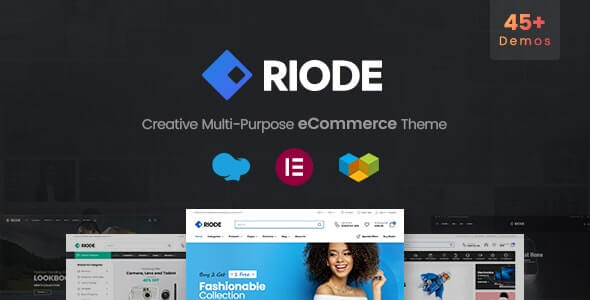
Riode Theme v1.6.30 – Multi-Purpose WooCommerce Theme
Original price was: $49.00.$3.99Current price is: $3.99.
956
Items sold in last 4 weeks
9
People watching this product now!
Description

Riode Theme is a multipurpose WooCommerce WordPress theme made for people who want to build a modern online store without starting from a blank page. It is useful for fashion shops, electronics stores, furniture websites, cosmetics brands, grocery shops, digital product stores, marketplace projects, and many other business websites.
One important thing should be clear first: Riode is a WordPress theme, not a normal WordPress plugin. Many users search for it as a plugin because it adds many store-building features, layout controls, builders, shop tools, and WooCommerce design options. But technically, it works as the main design foundation of your WordPress website.
The official ThemeForest listing describes Riode as a multipurpose WooCommerce theme with responsive design, shop layouts, Ajax search, filtering, wishlist support, catalog mode, mega menu, rich snippets, WPML support, RTL readiness, and compatibility with major marketplace plugins such as Dokan, WC Vendors, and YITH WooCommerce Multi-Vendor.
For GPLCare users, Riode Theme GPL can be a practical choice when you want a premium WooCommerce design system at a flexible cost. It gives you a strong store layout, product presentation tools, demo designs, and customization options that can help you launch faster.
A Quick Look at What Riode Is Best For
| Product Type | Multipurpose WooCommerce WordPress Theme |
| Best For | Online stores, business websites, marketplaces, product landing pages, and branded shops |
| Main Builder Support | Elementor and WPBakery |
| WooCommerce Use | Product pages, shop archives, filters, wishlist, quick view, catalog mode, variation swatches, Ajax tools |
| Good For Beginners? | Yes, mainly because of demos and visual builders |
| Good For Developers? | Yes, especially for client stores and reusable layouts |
| Important Note | Use only needed features and optimize images, cache, fonts, and scripts for better speed |
Why Store Owners Search for Riode Theme Free or Riode Theme GPL
Most small business owners do not want to spend weeks designing every section of an online store. They need a homepage, shop page, product detail page, cart flow, mobile layout, header, footer, banners, product grids, sale sections, and category blocks. Building all of this manually takes time.
This is where Riode becomes useful. It gives you ready-made design parts and WooCommerce-focused layouts that can be edited for your brand. A clothing shop can show product collections with swatches. An electronics store can use product filters and category sections. A furniture shop can create clean product pages with large images. A multi-vendor marketplace can use Riode with supported marketplace plugins.
People often search for Riode Theme Free because they want to test the theme before using it on a real store. Others search for Riode Theme GPL because GPL-licensed WordPress products allow flexible use under GPL terms. On GPLCare, the goal is to make premium GPL WordPress products easier to access for learning, development, testing, and client projects.
The Store Design Problem Riode Tries to Solve
A WooCommerce store can fail even when the products are good. Slow pages, confusing navigation, poor product images, weak filtering, and bad mobile design can reduce trust. Customers do not always explain why they leave. They simply close the website and buy from another store.
Riode helps with this problem by giving store owners a better design base. You can create product-focused homepages, category sections, promotional banners, product carousels, quick view popups, and custom product layouts. These small details make shopping easier.
For example, a beauty store can display product categories like skincare, haircare, makeup, and fragrance on the homepage. A grocery website can use category blocks, deals, and Ajax search. A digital product website can create clean product landing pages with pricing, screenshots, and FAQs. A fashion store can use swatches so customers can select colors or sizes more visually.
Elementor and WPBakery Support Makes Riode Flexible
Riode supports building different website parts with Elementor and WPBakery. Users can create headers, footers, popups, product pages, and blocks with page builders. It also includes ready templates for these sections, such as header presets, footer layouts, popup designs, product layouts, and reusable blocks.
This matters because many store owners are not comfortable editing code. Elementor users can design pages with drag-and-drop controls. WPBakery users can work with a builder they may already know from older WordPress projects. Agencies also benefit because they can build client layouts faster and adjust them without touching theme files every time.
What You Can Customize With the Builder System
- Homepage hero sections with banners and product highlights
- Shop page layouts for different product types
- Single product pages with gallery, price, cart button, tabs, and extra details
- Headers with menus, search, cart icon, account link, and sticky behavior
- Footers with useful links, newsletter forms, contact info, and payment icons
- Popups for offers, email capture, coupons, or announcements
- Reusable blocks for landing pages, category pages, and seasonal campaigns
WooCommerce Features That Make Shopping Easier
A good WooCommerce theme should not only look beautiful. It should help customers browse, compare, understand, and buy products with less effort. Riode includes many store-focused options that support this goal.
Ajax Search and Filtering
Ajax search helps customers find products quickly without waiting for a full page reload. Filtering is also important for stores with many items. Customers may want to filter by category, price, size, color, brand, rating, or other product attributes. When filtering works smoothly, people can reach the right product faster.
Wishlist for Returning Buyers
Wishlist support is helpful for fashion, furniture, electronics, and gift stores. Many customers do not buy on the first visit. They save products, compare options, and return later. A wishlist can increase repeat visits and improve the shopping journey.
Product Swatches for Variable Products
Riode supports swatches for variable products. Instead of showing only a boring dropdown, a store can show color, label, or image choices. This is useful for clothes, shoes, bags, furniture, cosmetics, phone covers, and many other product types.
Quick View for Faster Browsing
Quick view lets customers preview product details without fully opening the product page. This is useful when customers are browsing many items. It keeps the shopping flow smooth and can reduce unnecessary page loading.
Catalog Mode for Non-Checkout Stores
WooCommerce catalog mode is useful when you want to show products without direct online checkout. This can work for wholesale stores, quote-based businesses, local shops, product catalogs, and B2B websites where customers need to contact the seller before buying.
Riode Studio and Demo Import Can Save Setup Time
Riode offers many ready demos, template layouts, and design sections for different kinds of WooCommerce stores. For beginners, demo import is one of the biggest advantages. You can start with a complete design and then replace demo content with your own logo, colors, products, banners, categories, and business text.
For freelancers and agencies, the template library is useful because it reduces repeated work. You can build a shop faster, customize it for the client, and focus more on product structure, SEO, speed, and conversion instead of designing every section from scratch.
Real-World Store Ideas You Can Build With Riode
Riode is not limited to one niche. That is why it works well for users who want a flexible WooCommerce theme. Here are some practical examples.
Fashion and Lifestyle Shop
You can use large banners, product grids, category sections, variation swatches, and wishlist options. For clothing stores, visual product selection is important because customers care about colors, sizes, and style.
Electronics and Gadget Store
Electronics stores need filtering, product specs, comparison-style layouts, clear pricing, and fast search. Riode’s Ajax tools and WooCommerce layouts can help visitors move through many products more easily.
Furniture and Home Decor Website
Furniture websites need clean product images, gallery layouts, room-style banners, and product detail sections. A strong single product layout can help customers understand size, material, color, and delivery details.
Multi-Vendor Marketplace
Riode can be used for marketplace-style WooCommerce websites. It is suitable for store owners who plan to use multi-vendor plugins such as Dokan, WC Vendors, or YITH WooCommerce Multi-Vendor.
Digital Product Store
If you sell WordPress themes, plugins, template kits, scripts, graphics, software keys, or downloadable files, Riode can be used to create a clean product catalog. You can add screenshots, product details, version notes, FAQs, and download-related information.
How Riode Can Help With SEO Without Replacing an SEO Plugin
Riode includes SEO-friendly design features, product layout controls, clean navigation options, breadcrumbs, and WooCommerce-ready page structure. Still, a theme alone cannot complete your SEO. You should also use a proper SEO plugin such as Rank Math Pro or Yoast SEO Premium, write helpful product descriptions, optimize product images, create clean URLs, improve internal linking, and make sure your site loads quickly.
For WooCommerce SEO, your theme should support clean product layouts and structured content. But your ranking depends on many other things too, including content quality, site speed, product schema, reviews, category structure, backlinks, crawlability, and user experience.
SEO Tips for Using Riode Theme
- Write unique product descriptions instead of copying supplier text.
- Add useful product FAQs where customers may have doubts.
- Use proper image ALT text for product and category images.
- Keep category pages readable with short helpful text.
- Use breadcrumbs for better navigation and search engine understanding.
- Connect related products, upsells, and cross-sells naturally.
- Use a caching plugin and optimize images before uploading.
Performance: Use the Features, But Do Not Overload the Store
Riode is built for modern WooCommerce websites, but real speed also depends on your hosting, image size, caching setup, plugin quality, database health, CDN, and how many scripts you load. A theme can support performance, but it cannot fix a poorly managed WordPress site alone.
If you use Riode for a live WooCommerce store, keep the setup clean. Do not import many demos together. Do not keep unused plugins active. Compress images. Use WebP where possible. Use object cache if your server supports it. Use a CDN for static files. Test your cart and checkout after enabling optimization settings.
Recommended Speed Checklist
- Use lightweight, optimized product images.
- Enable caching after your design is complete.
- Use a CDN for images, CSS, and JavaScript files.
- Disable unused widgets, blocks, and builder elements.
- Keep WooCommerce, WordPress, theme, and plugins updated.
- Avoid using too many slider effects on the homepage.
- Check mobile speed, not only desktop speed.
Setup Path for a Clean Riode Store
The best way to use Riode is to plan your store before importing demos. Many beginners import a demo first and then get confused. A better method is to prepare your product categories, logo, colors, homepage sections, and required plugins first.
Step 1: Install WordPress and WooCommerce
Start with a clean WordPress installation. Install WooCommerce and complete the basic store setup. Add currency, payment method, shipping zones, tax settings, and store address.
Step 2: Install Riode Theme and Required Plugins
Upload the Riode theme file, activate it, and install the required plugins. If you use GPLCare, download the available package from your account and follow the normal WordPress theme installation process.
Step 3: Import Only the Demo You Need
Choose one demo that matches your business type. Do not import multiple demos unless you know how to clean unused content. After import, replace demo images, text, categories, and menus.
Step 4: Customize Header, Footer, and Product Pages
Create a clean header with logo, menu, search, account, and cart. Add trust elements in the footer, such as contact info, support link, refund policy, privacy policy, and payment method details.
Step 5: Add Products With Proper Details
Add clear product titles, prices, images, categories, short descriptions, long descriptions, attributes, variations, shipping details, and FAQs. Good product data improves user trust and search visibility.
Step 6: Test the Full Buying Flow
Before launch, test search, filters, product pages, cart, checkout, payment, email notifications, mobile menu, wishlist, and account pages. A beautiful store is not enough if checkout does not work smoothly.
Who Should Use Riode Theme?
Riode is a strong choice for users who want a flexible WooCommerce design system with many ready-made options. It is especially useful if you want to build a store quickly but still keep control over layout and branding.
- WooCommerce store owners who want a modern shop design.
- Agencies that build different types of ecommerce websites for clients.
- Freelancers who need reusable layouts and demo designs.
- Beginners who prefer demo import and visual editing.
- Developers who want a WooCommerce-ready theme for faster project delivery.
- Marketplace owners who plan to use Dokan, WC Vendors, or similar plugins.
- Business owners who need a product catalog, landing page, or full checkout store.
Who May Not Need Riode?
Riode is powerful, but not every website needs that much flexibility. If you only want a simple blog, a personal portfolio, or a one-page business card website, a lighter theme may be enough.
You may also avoid Riode if your hosting is very weak and you do not plan to optimize your site. Multipurpose themes can work well, but they need proper setup. A badly configured website with too many plugins, large images, and heavy scripts will still feel slow.
Pros and Cons Before You Use It
| Pros | Cons |
| Strong WooCommerce design options | May feel heavy if too many features are enabled |
| Elementor and WPBakery support | Beginners may need time to understand all settings |
| Ready demos and template library | Demo import should be handled carefully |
| Useful shop tools like wishlist, Ajax search, filters, and swatches | Speed still depends on hosting, cache, image size, and plugins |
| Suitable for many store types | Not necessary for very small non-ecommerce websites |
| Marketplace plugin compatibility | Marketplace setup still requires a separate vendor plugin |
Riode Theme GPL and GPLCare Usage Note
GPLCare provides WordPress products distributed under GPL terms. You can use GPL-licensed products for personal or client projects according to the GPL license. However, official developer support, automatic license activation, and direct vendor services may not be included unless clearly mentioned on the product page.
This is important to understand before downloading Riode Theme GPL. GPL access is useful for developers, learners, agencies, and store owners who want flexible WordPress resources. But for official support from the original author, you should check the official marketplace policy.
Related GPLCare Products That Pair Well With Riode
If you are building a full WooCommerce website, Riode can be combined with other useful GPLCare products. Keep your setup simple and add only what your store truly needs.
- Rank Math Pro or Yoast SEO Premium for SEO titles, schema, sitemap, and product optimization.
- Elementor Pro if you want advanced landing pages and custom design control.
- WooCommerce Product Add-Ons for custom product options.
- WooCommerce Dynamic Pricing for discounts, bulk pricing, and special pricing rules.
- WooCommerce Variation Swatches if you need extra control over product variations.
- WP Rocket or another performance plugin for caching and speed improvement.
Riode Theme Latest Version: Why Updates Matter
When users search for Riode Theme Latest Version, they usually want better compatibility, bug fixes, security improvements, and support for new WooCommerce or WordPress releases. This is important because WooCommerce changes often, and outdated themes can cause layout issues, checkout problems, PHP warnings, or plugin conflicts.
Keeping your theme updated is important for live stores. Updates can improve compatibility, fix known bugs, improve security, and reduce conflict with newer versions of WordPress, WooCommerce, and PHP.
Common Mistakes to Avoid With Riode
- Importing too much demo content: Import only what you need, then remove unused pages, menus, products, and images.
- Using huge product images: Large images slow down WooCommerce stores. Resize and compress before upload.
- Installing too many plugins: Every plugin adds possible speed and conflict issues. Use only required tools.
- Ignoring mobile design: Most shoppers browse from mobile. Test your header, filters, product page, and checkout on phone screens.
- Leaving demo text live: Replace all sample content before launch. Demo text looks unprofessional and can hurt trust.
- Not testing checkout: Always test payment, order email, coupon, shipping, and account creation before accepting real customers.
Simple Buying Guide: Is Riode Right for Your Project?
Choose Riode if you are building a WooCommerce website where design, product presentation, and layout flexibility matter. It is a good fit for stores that need more than the default WooCommerce appearance.
It is also a good option when you want to create multiple types of pages from one theme: homepage, shop, product page, landing page, offer page, brand page, category page, and marketplace-style layouts.
But if your project is a very small website with only a few static pages and no ecommerce features, Riode may be more than you need. In that case, a lightweight business theme or a simple Elementor template kit may be easier.
Frequently Asked Questions About Riode Theme GPL
Is Riode Theme a plugin or a theme?
Riode is a WordPress theme built mainly for WooCommerce websites. Some users call it a plugin because it includes many store-building features, but technically it is a theme.
Can I use Riode Theme GPL for a client website?
Yes, GPL-licensed WordPress products can generally be used for personal and client projects under GPL terms. Always check the product page details and understand that official author support may not be included with GPLCare downloads.
Does Riode work with Elementor?
Yes, Riode supports Elementor. It can be used to build important store sections such as headers, footers, popups, blocks, and product layouts.
Is Riode good for a multi-vendor marketplace?
Riode can be used for marketplace-style WooCommerce websites. It is suitable for users who plan to use multi-vendor plugins like Dokan, WC Vendors, or YITH WooCommerce Multi-Vendor.
Can I build a catalog website without online checkout?
Yes, Riode includes WooCommerce catalog mode. This is useful for businesses that want to show products but receive orders by phone, WhatsApp, inquiry form, or manual quotation.
Will Riode make my website fast automatically?
Riode includes speed-focused design options, but website speed also depends on hosting, image size, cache setup, CDN, plugin quality, and database optimization. For best results, use clean settings and avoid unnecessary plugins.
What kind of stores can I build with Riode?
You can build fashion stores, electronics shops, beauty stores, grocery websites, furniture stores, digital product shops, marketplace websites, and product landing pages.
Is Riode Theme Free available?
Many users search for Riode Theme Free to test the theme. GPLCare offers GPL WordPress products for users who need affordable access. For the official commercial license and author support, check the original marketplace page.
Does Riode support RTL websites?
Yes, Riode is suitable for multilingual and right-to-left language websites when used with the correct WordPress and translation setup.
Should beginners use Riode?
Beginners can use Riode because it includes demos and visual builder support. However, they should avoid activating too many features at once and should follow a clean setup process.
Final Take: Riode Is a Strong WooCommerce Theme When Used Properly
Riode Theme is a flexible WooCommerce WordPress theme for users who want professional store layouts, visual customization, ready demos, and product-focused shopping tools. It is especially useful for WooCommerce store owners, agencies, freelancers, and developers who need to launch modern ecommerce websites faster.
The theme gives you many options, but the best results come from smart setup. Choose one suitable demo, customize it for your brand, optimize images, keep plugins limited, test checkout carefully, and use SEO-friendly product content.
If you need a multipurpose WooCommerce theme for a store, marketplace, catalog, or product-focused business website, Riode Theme GPL from GPLCare can be a helpful option to consider.
Download Riode Theme GPL from GPLCare and start building a cleaner, faster, and more flexible WooCommerce store today.
GPLCARE Updater Plugin
GPLCARE Updater Plugin Tutorial
New to GPLCARE? Watch this step-by-step tutorial to learn how to install, activate, and use the GPLCARE Updater Plugin directly from your WordPress dashboard.

Easy Installation Guide
Install the GPLCARE Updater Plugin in a few steps.

Update Management
Update themes and plugins directly from WordPress.

Tips & Best Practices
Keep your website updated and secure.
Support and updates
What is included?
Documentation You will find the item’s documentation within the .zip file you download.
Updates Available
You'll always have access to the latest features, fixes, and security updates. Simply re-download the item to get the most up-to-date files. You can find the updates change-log on the item’s description.
What is not included?
Author Support
Author support is not available for items downloaded on GPLCare. If you need support from this item’s author, we recommend you take a look at this item on Original Author. If support is offered, you will receive 6 months of support when you purchase the item there.
Technical support from GPLCare
GPLCare doesn’t offer technical support for individual items. If you need further assistance, please visit our Help center and create Support Tickets here.
Automatic updates All updates require manual installation.
Only logged in customers who have purchased this product may leave a review.
Related products

-92%
Original price was: $49.00.$3.99Current price is: $3.99.
-83%
Original price was: $29.00.$4.99Current price is: $4.99.

-90%
Original price was: $49.00.$4.99Current price is: $4.99.

-90%
Original price was: $49.00.$4.99Current price is: $4.99.
Reviews
Clear filtersThere are no reviews yet.